HOME
BATTERY
LAPTOP
FAQ
GLOSSARY
LINKS
SITE MAP
FAQ: Battery Basics
How do I identify my battery?
What is a battery cycle?
Can I upgrade my laptop battery to a newer chemistry?
What if the mAh current rating is different to my original battery?
How Are batteries rated?
Can I use a battery which has a different voltage rating than my original battery?
What is a "smart" battery?
I have lost my battery, How do I identify which battery I need?
What do the LED lights on the battery do?
How do I identify my battery?
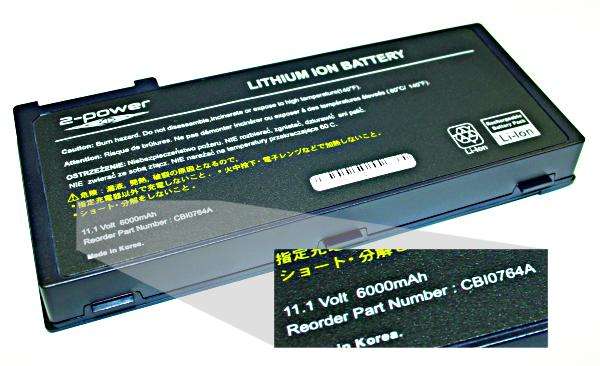
There is usually a label on the battery. The label will have the part number, chemical construction (eg Li-Ion, NiMh), voltage and current printed on it. Please note the battery voltage is not the same as the power supplies voltage. If this information is not present the make and model of your laptop would help any sales person identify the correct battery. See image below:
- TOP
What is a battery cycle?
A battery cycle consist of one charge and one discharge.
- TOP
Can I upgrade my Laptop Battery to a newer chemistry?
Different battery chemistries cannot be substituted unless the laptop has been pre-configured in the factory to accept more than one type of rechargeable battery. Each chemistry type requires a different charging pattern to be properly energised. Refer to your laptop computer manual to find out which rechargeable battery types your particular device accepts.
- TOP
What if the Milliamp-Hour (mAh) rating is different to my original battery?
The Milliamp hour rating represents the capacity of the battery. The capacity is affected by the number of batteries in the battery pack. The capacity is increased by linking the cells in parallel. If the mAh rating is higher than the original battery, then the replacement battery will run for a longer time, if the rating is lower then the replacement battery will run for a shorter time.
- TOP
How Are Batteries Rated?
There are two ratings on a battery, Voltage (V) and Milliamp-hours (mAh). Voltage is the rate at which energy is drawn from a battery. Milliamp-hours represents the capacity of the battery.
- TOP
Can I use a battery which has a different voltage rating than my original battery?
No, the voltage rating has to match that of the original battery or as recommended by the computer manual. Using a battery with a different voltage setting can damage the laptop.
- TOP
What is a "smart" Battery?
Smart batteries have internal circuit boards with smart chips which allow them to communicate with the notebook and monitor battery performance, output voltage and temperature. Smart batteries will generally run 15% longer due to their increased efficiency and also give the computer much more accurate "fuel gauge" capabilities to determine how much battery running time is left before the next recharge is required. For more technical information on Smart Battery System, see the Smart Battery System Implementers Forum page.
- TOP
I have lost my battery, How do I identify which battery I need?
Check your notebook computer's manual. If you cannot find the manual, most suppliers should be able to find the battery from the make and model of your notebook computer. The Laptop part number from the base plate on the underside of the notebook computer can help identify which battery you will need.

- TOP
What do the LED lights on the battery do?
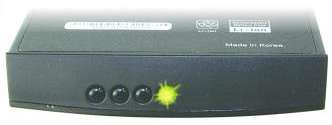
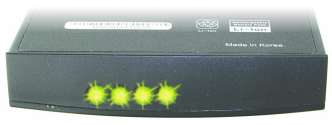
The little LED lights on the laptop battery is the fuel gauge of that battery. It tells the relative amount of capacity in the battery. The images below are an example. One LED light would mean that the battery is nearly empty and if all the LEDs are lit then it would mean the battery has full capacity.


- TOP